Language
 English
English
English

Want to use a decal to enhance your instrument with your logo, a beautiful image or serial numbers? We can make these for you!
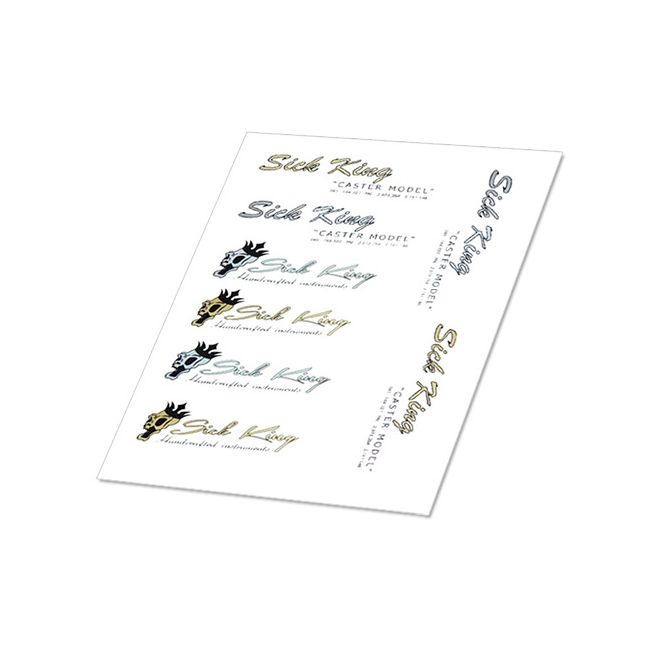
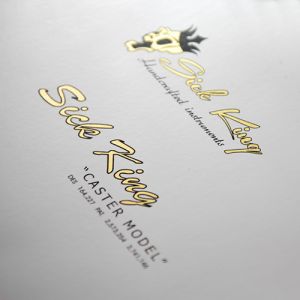
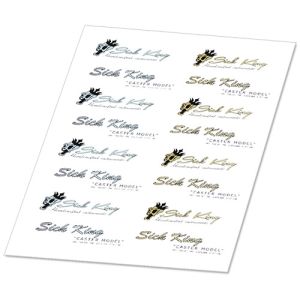
We print the thinnest waterslide decals with a minuscule layer of foil in both full color and real metallic silver, gold and even white for the best result. You can have a full sheet with multiple logo's, in different color settings, or different logo's on one sheet. Simply what suits you best. And if you need more logo's, we also offer other sized decals.
Before sending your design, please read the specifications hereunder. You can upload your file, or mail it to alex@tlcguitargoods.com.
When you are not sure if your file meets our delivery specifcations, please email us the design before placing your order. We can then estimate if there will be extra cost apllicable.
If you prefer us to convert your file to a professiional format, we are happy to do so. lease mark the checkbox and we'll take care of that.
Note: If you have placed and payed your order and the design does not meet our delivery specifications, handling cost can be charged.
A decal is a thin transparent foil that lies on paper. When you have printed text or an image on it, you can remove the foil from the paper by placing it in water. You then place the foil on your instrument and finish it with spray lacquer. This way you can give your instrument its own look, or replace a damaged logo of a purchased guitar.
Your design
Our decals are printed with ribbon foil and you can use full-color, black, white and real metallic silver or gold in your design. To help you on your way, you can use our illustrator template with the right silver and gold color swatches. Download the template HERE and open the file with Adobe Illustrator or Photoshop.
Delivery specifications:
The file should be set in a so called Vector format. The Fonts should be converted to outlines. The files can be uploaded as a Adobe .ai file or .pdf file.
A Vector file is a file that consists out of lines in stead of an image (photo), this file can be read into a CNC, Printer of Laser device after alteration.
How to make a suitable file:
1 ) Open the downloaded template with Adobe Illustrator.
2 ) Select the format of the by you ordered decal format and disable other layers, except the design layer.
3 ) Load you logo into the file and add text in your desired font in the design layer.
4 ) Convert the fonts to outlines. Important: after converting fonts to outlines, you can no longer edit the text, save a separate file with the font outlines.
- Illustrator: CTRL+A (Select all) --> Type --> Create Outlines
5 ) Save the file as .ai or as .pdf
Do you want us to take care of the file?
Are you unable to convert the file, or simply prefer us to turn your design into a professional file? No problem, for a small additional fee, we can take care of this. You will receive the professional file through email which you can use later on for other projects as well. Please check the box with your order.
Upload your file:
As illustrator .ai, .eps or .pdf file. We need this in order to match the Gold, Silver & White colors.
Remember that you only supply artwork that does not contain any trademark or copyrights of others, unless you have their permission. When you order from us, you automatically agree to comply with this term.
Our decals
* Are printed with opaque colors and can be used on any color surface.
* Make genuine metallic silver, gold and white at your disposal.
* Are compatible with most spray lacquers, including nitrocellulose. Do not use any finishing where you have to brush or rub over the decal, because then it will be damaged. First make sure that there is a sealent, cured protective layer.
* Cannot be placed on a greasy surface, like all decals, and only on a surface that is smooth and sealed and does not have open pores.
* Are printed with a foil ribbon. Sometimes - in larger designs - you can see the successive layers.
*Are made especially for you and therefore cannot be returned.
* Will be made asap, but because it is custom-made, please take into account a maximum of 5 working days..
How to -- visit our how to page
1. The surface should have a base coat of lacquer, sanding sealer or z-poxy. Make sure it is smooth by sanding with grit 400. Clean.
2. Cut the decal in shape around your design. You do not have to follow the contours, that only makes it vulnerable. Make sure the decal fits on the spot without protruding.
3. Soak in the water until you see that the paper is loosening.
4. Place directly on the surface. You can gently smooth it with a wet finger and press with a tissue to dry. Never rub hard! Let dry overnight.
5. Protect the decal with a basecoat of clear lacquer and finish with the rest of your instrument.
Be carefull with using lacquers with a relatively high aceton content such as Spraymax 1K. This can affect the decal.
| Item | CUST-DEC-03 |
|---|---|
| Instrument | Acoustic Guitar, Bass, Electric Guitar |
| decal size | A5 210x148mm |
| Type | Other |
| Sales unit | Pce |
At Guitar Goods we do our very best to make things as easy and fun as possible, for example:
 Nederlands