Language
 English
English
English



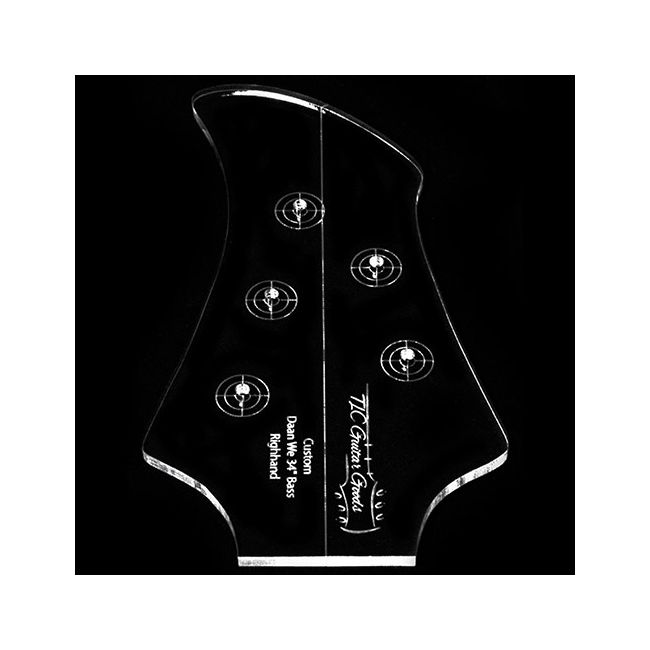
If yu have to route a shape more frequently, or if the design is very precise, it can be a solution to work with a routing template. We can make templates for you in your own design! Our templates are lasercut from high quality 5mm thick plexiglass. There are a lot of possibilities, let the fun begin! Create your design and upload your file.
Because these are produced espially for you, we cannot return them. Please consider a max of 5 working days production time, although we will do our best to have it faster on your doorstep.
Note: the price is based on a ready to use drawing. When there is still need to draw or if you want a template based on a sketch, please contact us so we can quote you.
This option is for a routing template in your own design. Everything is possible, as long as it complies with these conditions:
Don't forget to add a center line and perhaps even your name or the type. We can add it on the template.
When using a routing template:
Use a shallow router bit with a ball bearing guide on the upper part.
Measure your position by using the center line and set it securely in place with good quality double sided sticky tape. Don't overdo the tape as you still need to be able to get it loose.
Start with your router in the center and move steadily to the edges of the template. It is better to remove material in steps and not too much in one time to avoid material chipping and your router getting too excited.
Stay away from the edges of the template till your router bit is deep enough for your copy ring to follow the sides of the template. Than follow the lines of the template and continue till you reached the required depth.
File specifications:
Characteristics
• The drawing must be black and white
• The lines must be clean (vector)
• The lines must be connected for the outline and holes
• The file type must be a .eps, .ai or .pdf. Preferably in .pdf format.
Vector file
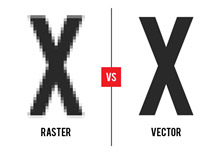
For supplying the file to us, we would need a so-called Vector file. The Vector drawing should be in the correct scale for the end format. A Raster file will not survise (pixel file which includes Photoshop, Paint, .Jpg, .Gif, .PNG) as oud machines will need exact lines to work with.
Below the difference between a Raster (pixel) and a Vector illustration.
You can create a Vector file with the programs below. Adobe Illustrator is a paid program and Inkscape is a free variant. Click on the links to go to the developer and download the software.


Fonts
Fonts will have to be converted to letter contours. The text itself should not be editable anymore. In Illustrator you can do this by selecting the text and go to -> Type menu -> create outlines. With Inkscape select the text and go to -> Paths menu -> Object to Path.
File type
Save the file as a .pdf fole before uploading it to our website or mailing it to us.

If you have any other questions, please contact us.
| Item | CUST-LAS-05 |
|---|---|
| Instrument | Acoustic Guitar, Bass, Electric Guitar |
| Type | Other |
| Sales unit | pce |
At Guitar Goods we do our very best to make things as easy and fun as possible, for example:
 Nederlands